Worried about seeing “Avengers: Endgame” spoilers on Google? You could always wipe out half of the search results. A new (and awesome) Google easter egg is turning the search results to dust. Here’s how to see it for yourself: Head to Google. (The easter egg works on both desktop and mobile search results.) Type in: thanos.
See the Infinity Gauntlet (the gold glove with all six of Infinity Stones) in Google’s Knowledge panel? Click on it. You’ll see the glove snap its fingers. Then you’ll start seeing the search engine results start to vanish – just as many of your favorite Marvel characters at the end of “Avengers: Infinity Wars.”
The search results will even scroll by themselves, forcing you to watch them as they’re eradicated. Ultimately you’ll be left with something like this as your search results page:
Indeed, Google’s 96 million results seem to have been reduced to 48 million! Want to bring all the search results back? Click on the Infinity Gauntlet again.
All the results will returned. Here’s a video of the easter egg in action, via YouTube.
U.S. Congress has sent an open letter to Google CEO Sundar Pichai asking for more information about its Sensorvault database that’s reportedly being used by law enforcement agencies to solve crime cases.
Last week, we reported a story based upon NY Times findings that revealed how using a "geofence" warrant, authorities obtain location history of all devices from Google's Sensorvault database that pass through a crime scene over a certain time period.
For those unaware, Google maintains Sensorvault database over nearly the past decade which contains precise location information from hundreds of millions of smartphones around the world and shares it with authorities to help in criminal cases.
However, Google does not share identifiable information on all devices after receiving a warrant. Instead, authorities have to first narrow down their list of suspects using the location history data, only after which Google shares further information about a few selected users (suspects or witnesses).
Now top U.S. lawmakers from the U.S. House Energy and Commerce Committee on Tuesday wrote an open letter to Google raising concerns about the database and seeks a briefing on how it is used and shared by the company.
"The potential ramifications for consumer privacy are far-reaching and concerning. We would like to know the purposes for which Google maintains the Sensorvault database and the extent to which Google shares precise location information from this database with third parties," the letter reads.
The letter contains 10 detailed questions, mentioned in-brief as below that the company has been asked to answer by May 7, 2019:
What information Google stores in the Sensorvault database, why and how does Google use it?
Which affiliate and subsidiaries of Alphabet company have access to this database?
Does Google maintain any other database on users’ location information, and if yes, how it is different from Sensorvault?
Who within Google can access the Sensorvault database and what are their job roles?
What are the sources from which Google collects information contained in Sensorvault database?
Can users opt-in or opt-out to allow or prevent Google from collecting information stored in the Sensorvault database?
What's Google's retention policy with respect to the information the company collects on its customers?
Does Google share, sell or disclose customers location information with any third-party other than law enforcement?
Besides this, the members of Congress—including Committee Chairman Frank Pallone, a Democrat from New Jersey, and ranking Republican Greg Walden—have also requested Sundar Pichai to issue a briefing on these topics by May 10.
Have something to say about this article? Comment below or share it.
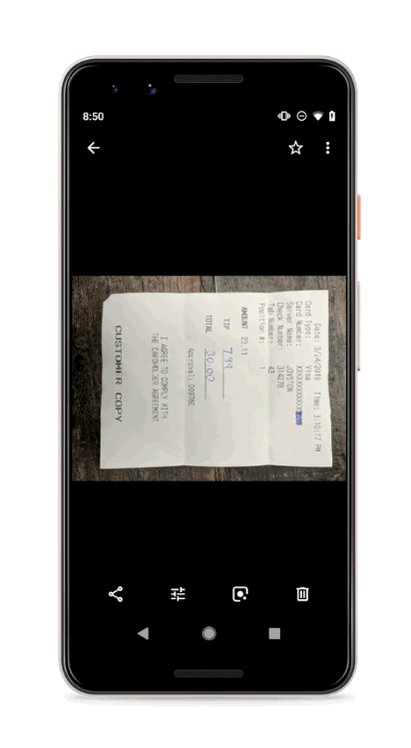
Google Photos uses AI sorcery to do all kinds of cool stuff, and starting this week, the service is getting another new trick on Android:
it'll soon offer to adjust photos of documents, presenting one-tap options to rotate, crop, and adjust color balance to make them more legible.
The new functionality will work similarly to how Photos currently gives suggestions to fix lighting in improperly exposed shots or rotate sideways pictures to be right side up. There doesn't seem to be a way to trigger it manually; it'll just pop up when Google's algorithms deem it appropriate.
In a tweet, Google said the suggestions are rolling out this week on Android, so if you frequently take pictures of receipts (or whatever), be on the lookout.
New! Crop documents in a single tap. Rolling out this week on Android, you may see suggestions to crop photos of documents to remove backgrounds and clean up the edges.
Thanks to it, you could always tell at a glance which photo or video had been uploaded and which ones were still pending. That indicator disappeared completely, but the Photos team has finally realized the extent of its mistake by removing it, so it's bringing the functionality back.
An upcoming gallery view in Photos should let you see which media items haven't been backed up, and manually choose the ones you want to upload. That's all we really wanted, isn't it? It's a necessary feature for users who don't have automatic backup enabled and can never tell what's uploaded and what isn't, or those who get stuck with a mysterious "30 items uploading" for days on end with no clue as to which item is stalling the process.
The option isn't live yet — at least we weren't able to trigger it in any way on our devices — but the Photos team did update the Play Store changelog to mention it. This isn't the first time the Photos team has put up a changelog before a feature's rollout though; it recently happened with the suggested document crop that doesn't seem to be live yet, and many times before that. One could suspect the team may be trying to steal the thunder from our teardowns by announcing things before releasing them - ha!
If you spot this new gallery view, please let us know. We'll keep our eyes open and update this post with an APK if a new version of Photos is needed to trigger the feature.
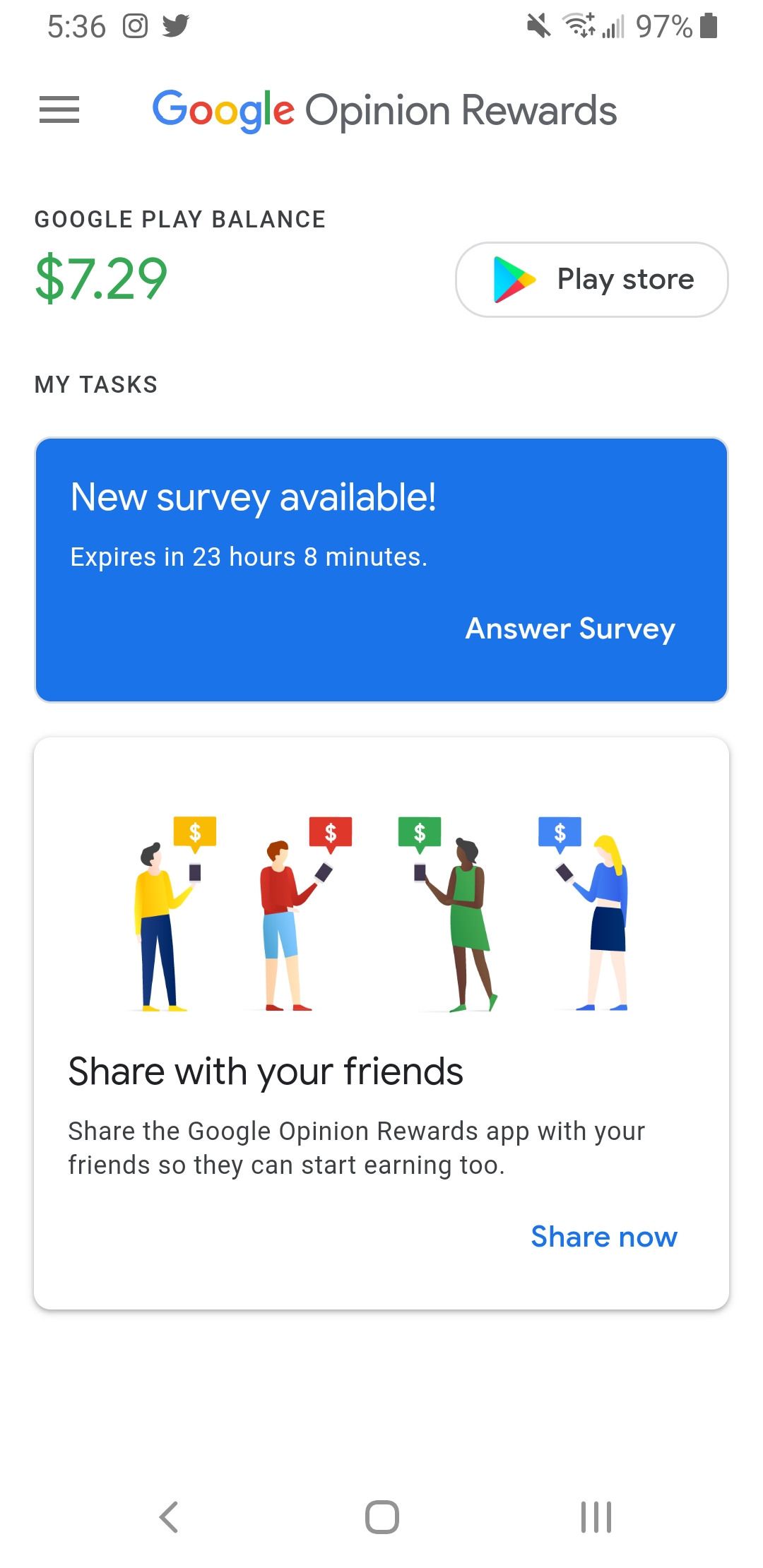
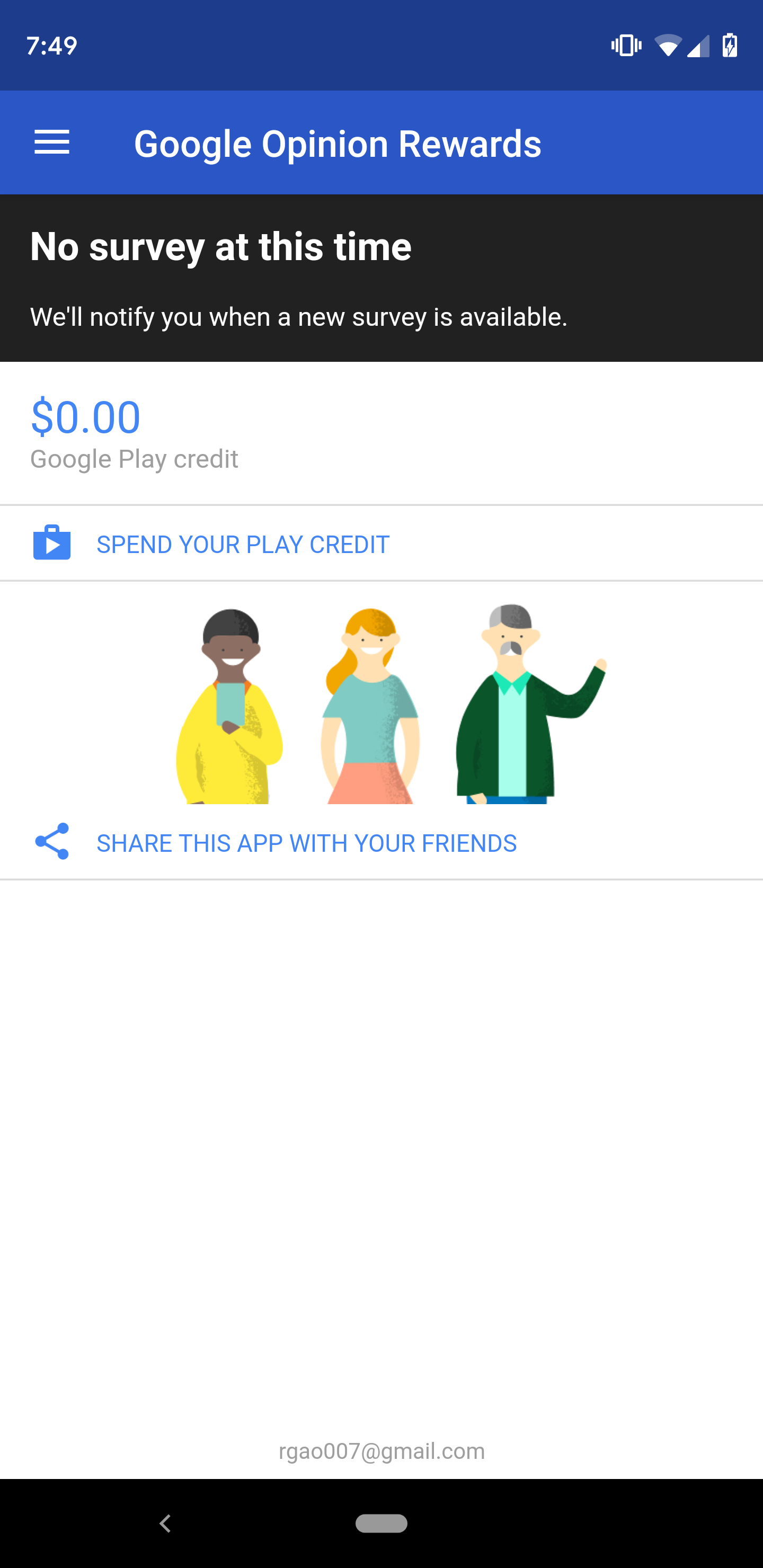
It's been around eight months since Google started to test a Material theme update in its Opinion Rewards app, and we haven't seen much since then. Quick video : https://youtu.be/zxASIN80WW0
However, the app has just received an update that enables a fresher Material theme for all, and we have the APK ready for you to download.
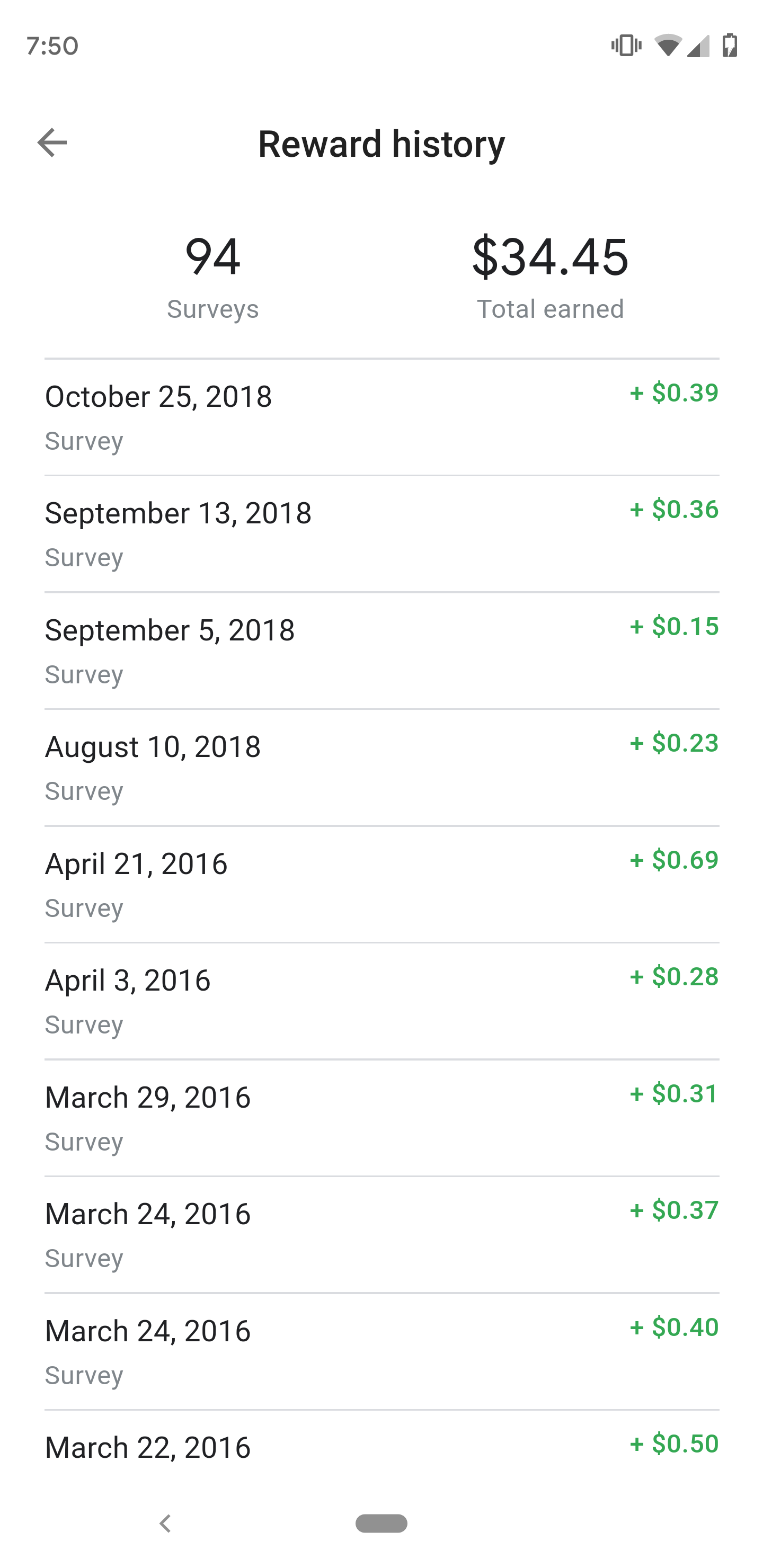
Take one glance at the screenshots above, and it's pretty easy to see just how different the new UI is. Google has updated Opinion Rewards to look like all of its other apps with an all-white look and its Product Sans font. It does look like someone forgot to capitalize the "store" in "Play Store" for the shortcut button next to the balance
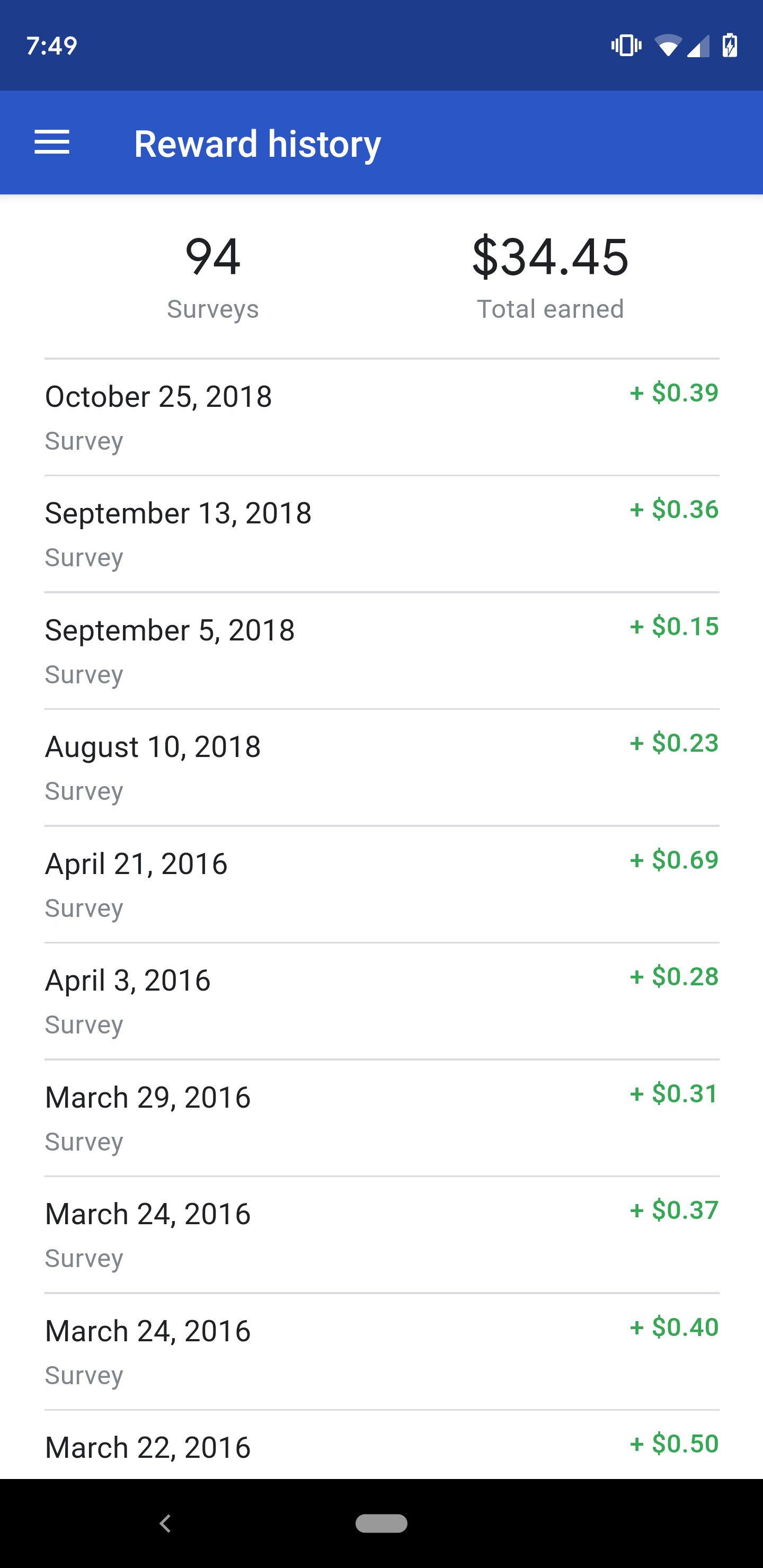
The "Reward history" page is more of the same, trading the blue up top and the black navigation bar down below for pure white. There's also no hamburger menu in this tab anymore, only a back arrow that'll take you back to the main page.
This version doesn't seem to be live on the Play Store for everyone yet, but luckily, we've got this latest Opinion Rewards APK over at APK Mirror ready for download. Now, if only the app would send me any surveys at all...